


NuPhy charges $129.95 for the Air75 V2. It also charges $129.95 for the Halo75 V2, and $129.95 for the Air96 V2. Three keyboards, one price, and they are not minor variations on each other — one weighs 598 grams and one weighs 1,020 grams.
That is the useful thing to understand about this brand before you start comparing spec sheets. The price does not choose for you. The weight does.
An Air is a laptop accessory — 13.5mm thick, light enough to forget in a bag, designed to sit on top of a MacBook's own keyboard if you want. A Halo is a desk fixture: gasket-mounted, nearly double the weight, built around how it sounds rather than how little space it takes. Same money, opposite purposes. Work out which one describes your desk and most of the decision is already made.
NuPhy's Black Friday sale is running now and the discount applies automatically at checkout — the Air75 V2 is showing 40% off its $129.95 list price, with the countdown on the product page ending around 2 December. Stock on individual colourways is thin (the Ionic White Air75 V2 showed three units left when we checked). Prices in this review are list prices, so treat the sale as a discount on top of them rather than the new normal.
You want a genuinely good low-profile mechanical keyboard and you are comfortable with a browser-based setup tool. The Air75 V2 is the default pick.
Keycap swapping is half the fun for you. The Air series takes low-profile caps only, which closes off most of the aftermarket. Buy a standard-profile board instead.
You want software that just works. There is no dedicated app — remapping runs through VIA in a browser, and it is the roughest part of the experience.
The three that matter
NuPhy's catalogue sprawls across Air, Halo, Node, Kick and Field lines with overlapping names and version numbers. These three cover almost everyone, and conveniently they all cost the same.
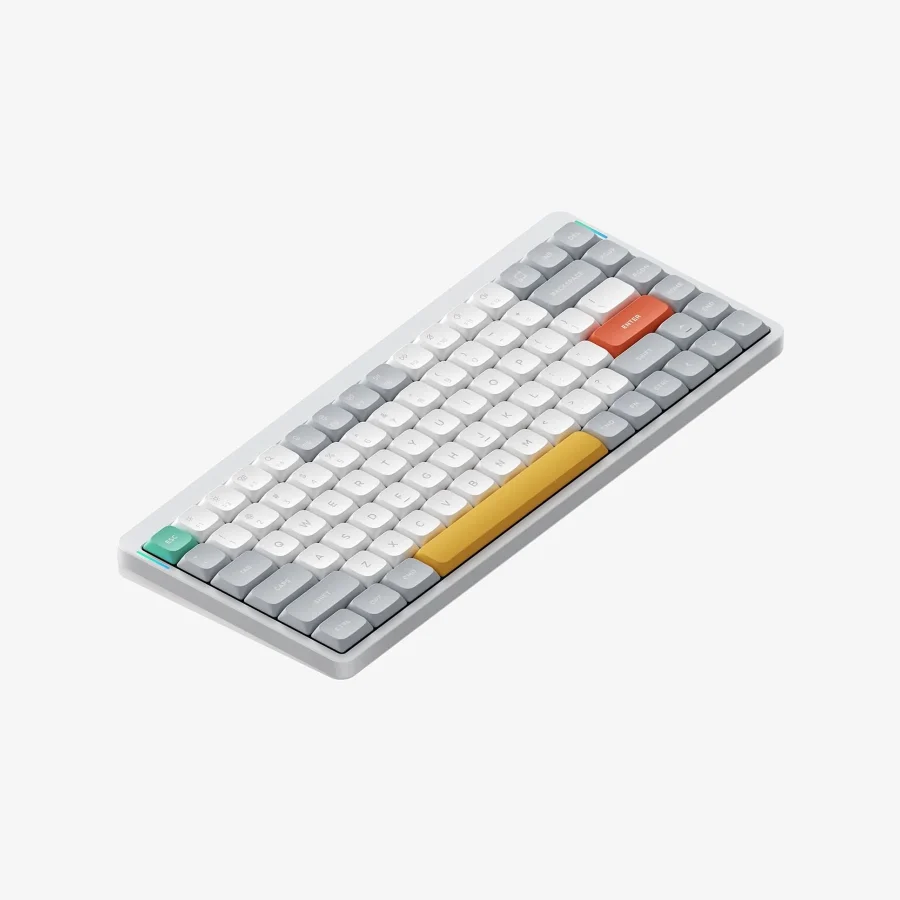
598g, 13.5mm thick, ANSI 75% with 84 keys. The one most people should buy and the most-reviewed board they make — 4.6 stars across 878 reviews. Aluminium top frame, double-shot PBT caps, hot-swappable, 1000Hz over 2.4GHz. If you work on a laptop in more than one place, this is the whole reason NuPhy has a reputation.
Check price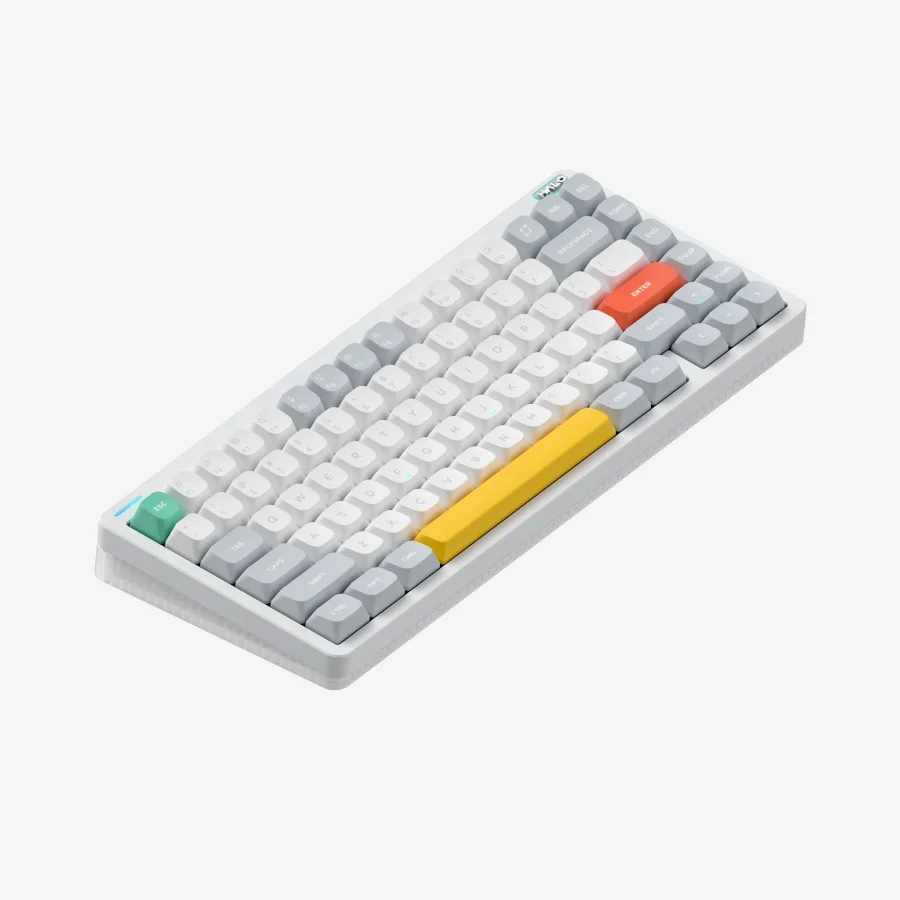
1,020g, standard profile, ANSI 75% with 83 keys. Nearly double the Air's weight for the same money, and that mass is the point — it is what a gasket-mounted board needs to sound dense rather than hollow. Ships with NuPhy's Mint, Raspberry or Lemon switches, or Cherry Silent Red if you share a room.
Check price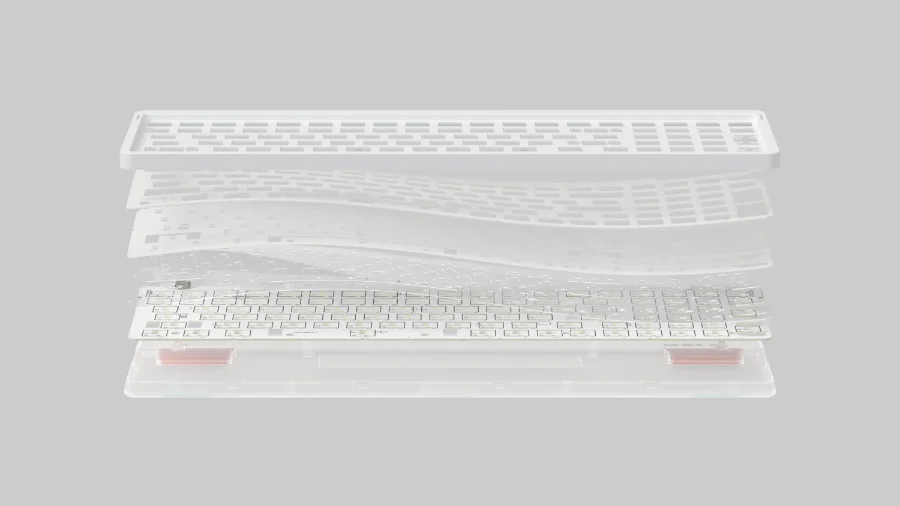
663g, ANSI 96% with 100 keys, 4.5 stars across 144 reviews. The answer if you actually use a number pad — accountants, anyone in spreadsheets all day, anyone entering figures. You pay 65 grams and some desk width over the Air75, and nothing in money.
Check priceThe software is the weak point
This is the part that does not show up in the photography, and it is the thing I would want flagged before spending $130.
NuPhy does not ship a dedicated configuration app. The boards are QMK/VIA compatible, which sounds like a feature and in principle is one — but in practice it means remapping a key runs through VIA in a web browser, and before VIA will even recognise the keyboard you have to go and download a JSON layout file from NuPhy's site and load it in manually. Reviewers who have lived with these boards describe the browser tool as rickety, and that matches the general experience: it works, it is not pleasant, and it is a long way behind the polish of the hardware it is configuring.
Tom's Guide, reviewing the Air75 V2, also reported the board freezing on macOS mid-keystroke, with a NuPhy-recommended firmware update failing to resolve it; the problem went away and then came back, and did not occur on Windows. They still recommended the keyboard. That is a fair summary of the brand as a whole — the hardware is good enough to earn a recommendation in spite of the firmware, not because of it.
If you want to plug a keyboard in and have an app walk you through it, a brand like Epomaker will frustrate you less. If you are happy to spend twenty minutes with a JSON file once and then never think about it again, NuPhy's hardware is the better object. Decide which of those two sentences describes you.
The keycap constraint on the Air series
The second thing worth knowing before you commit: low-profile keyboards do not take normal keycaps.
The Air series uses Gateron low-profile switches, and those take low-profile caps with a shorter stem. Every standard MX keycap set you have seen on a desk setup video — the enormous aftermarket of group buys, artisan sets and dye-sub profiles — simply will not fit. You are choosing between NuPhy's own low-profile sets and a thin selection of third-party options.
If customising the look is a meaningful part of why you want a mechanical keyboard, that constraint matters more than any spec on the page, and it points you at the Halo series instead, which is standard profile and takes ordinary caps. If you intend to use the board as it arrives, it costs you nothing.
If none of those three fit
The three above cover most people, but NuPhy's range runs wider than one price point. These are the three worth knowing about once you have ruled out the mainstream picks — a smaller board, and the two magnetic-switch models aimed at gaming.
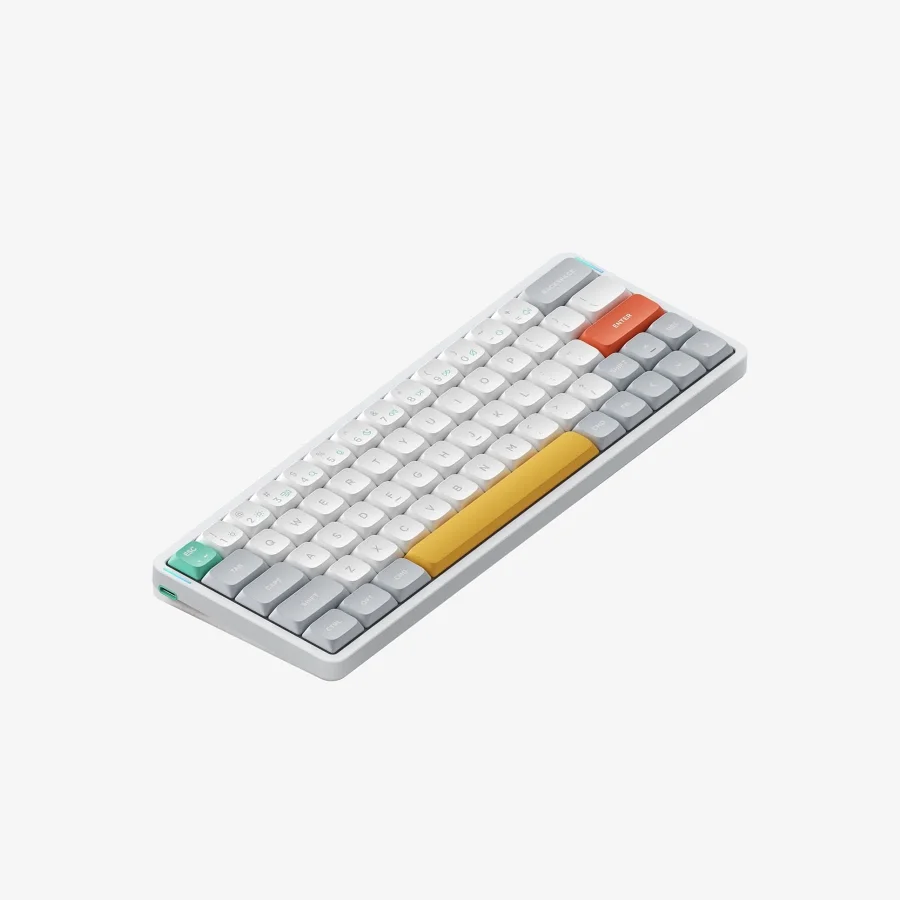
The 60% layout, and the cheapest way into the Air series at $20 below the Air75. 4.5 stars across 633 reviews. You lose the function row and arrow cluster, which is either irrelevant or a daily irritation depending entirely on whether you already live in keyboard layers. Try a 60% before committing if you never have.
Check price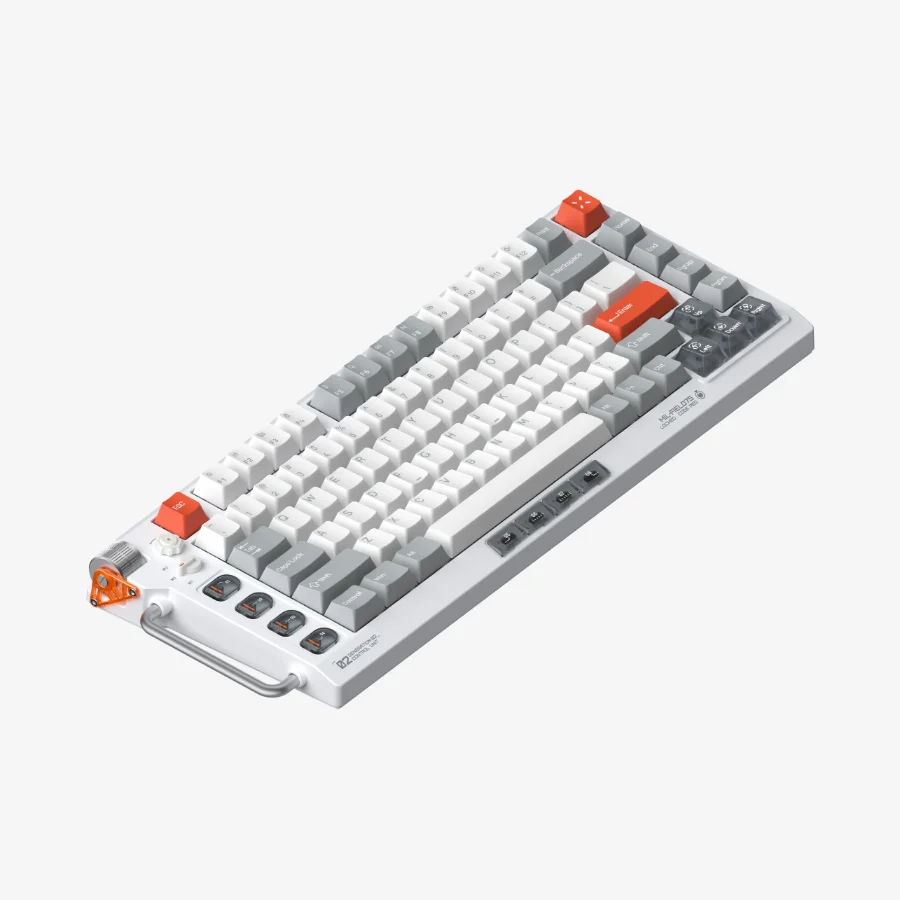
The gaming board: magnetic Hall effect switches, 8K polling and rapid trigger, at 4.7 stars from 44 reviews. This is a genuinely different product from the rest of the range — adjustable actuation means you set how far a key travels before it registers, and rapid trigger resets it the instant you lift. Standard profile, not low.
Check price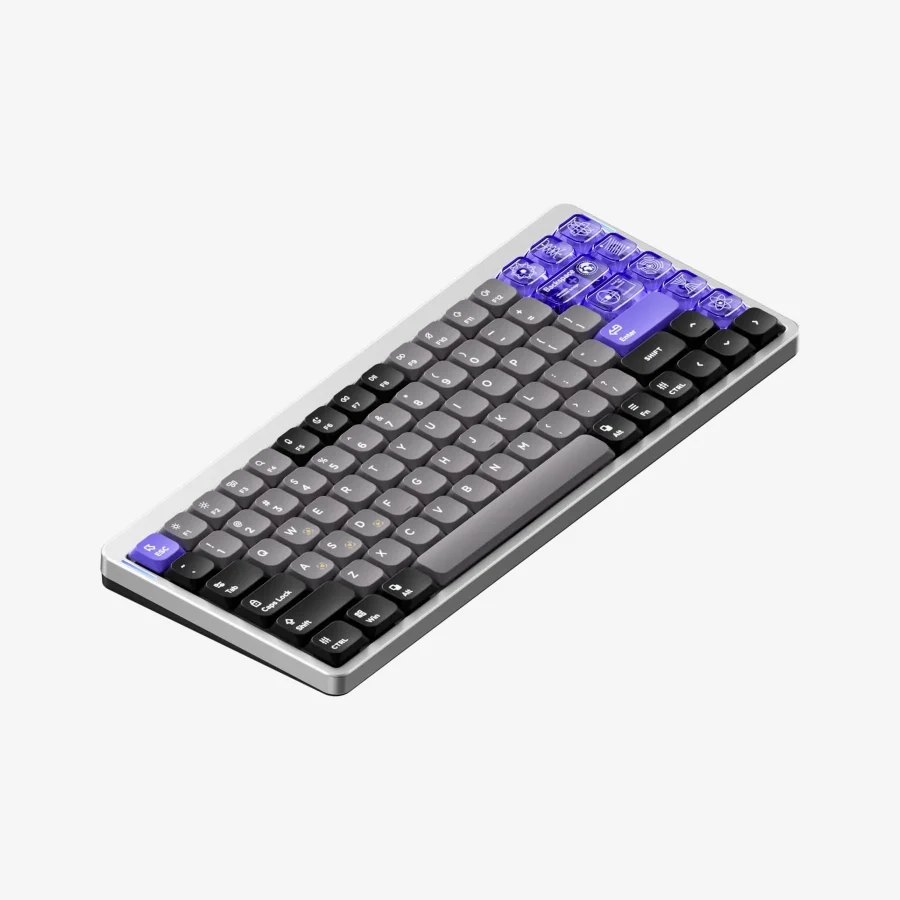
Hall effect in the low-profile body — the only board here that does both, at 4.7 stars from 100 reviews. If you want adjustable actuation but refuse to give up the slim Air chassis, this is the one product that answers that, and there is very little competition for it anywhere.
Check priceWhat Hall effect actually changes
Two of the boards above use magnetic Hall effect switches rather than mechanical ones, and the difference is worth understanding before you pay the premium for it.
A mechanical switch is a physical contact: it registers when two bits of metal touch, at a fixed depth the manufacturer chose for you. A Hall effect switch has no contact at all. It measures a magnet's position continuously as the key moves, which means the actuation point becomes a setting rather than a specification. You can tell the board to register at 0.3mm for twitchy shooters, or 2mm so you stop triggering keys by resting your fingers.
The feature that follows from that is rapid trigger: because the board knows the key's exact position at every moment, it can reset the instant you start lifting rather than waiting for the key to clear a fixed threshold. In practice that means faster repeated inputs — counter-strafing, repeated jumps, anything where you tap the same key in quick succession.
Who should care: competitive FPS players, and nobody else. If you write for a living, Hall effect buys you an adjustable actuation point you will set once and never touch again, for $20–$50 more than the mechanical equivalent. The standard Air75 V2 is the better purchase for typing.
Air V2 or V3? Which generation to buy
NuPhy now sells two generations side by side, and the naming does nothing to help you choose. The Air V2 range (Air60, Air75, Air96) sits at $109.95–$129.95. The newer Air V3 series sits above it.
What V3 changes: a CNC-machined case with a 220-grit anodised finish in place of the V2's construction, a drop from 13.5mm to 13.2mm, switches with deeper travel that NuPhy claims match high-profile boards, longer battery life, and a knob option on some layouts. It is a real generational step rather than a colour refresh.
Whether it is worth the difference depends on one thing: do you dislike how low-profile switches feel? The most common complaint about the format is that the short travel feels vague compared with a full-height board. V3's deeper travel targets exactly that. If that complaint describes you, the upgrade is aimed at your problem. If you already like low-profile travel, the V2 at a lower price is the better value, and the 0.3mm thickness difference is not something you will ever notice.
Buy V2 if you have used and liked a low-profile board before. Buy V3 if you are coming from a full-height mechanical and are nervous about the switch feel — the deeper travel is the whole reason it exists. Either way, check both before ordering: generational overlap is exactly when the older model gets discounted hardest.
Which switch should you pick?
Every NuPhy board asks you to choose a switch at checkout, and the names tell you nothing. Here is the short version for the Air series, which offers seven.
- Aloe (37gf, linear) — the lightest. Smooth, no bump, very little resistance. Good for fast typing, bad if you rest your fingers on keys.
- Cowberry (45gf, linear) — the safe linear default. Smooth with enough weight to stop accidental presses.
- Wisteria (55gf, tactile) — a bump you can feel, at a moderate weight. The best first choice if you have never used a mechanical keyboard and do not know what you like.
- Moss (60gf, tactile) — heavier bump, more deliberate. Suits heavy-handed typists who bottom out anyway.
- Gateron Red 2.0 (45gf, linear) — the conventional linear, familiar from standard mechanical boards.
- Gateron Brown 2.0 (55gf, tactile) — the conventional tactile. A known quantity.
- Gateron Blue 2.0 (65gf, clicky) — loud and clicky. Do not buy this if you share a room, an office, or take calls.
Because every board is hot-swappable, this decision is reversible — a 100-piece switch pack runs $27–$38 and swaps without soldering. But switch packs cost a third of the keyboard, so it is worth getting right first time. If you are unsure and cannot test one, Wisteria at 55gf is the choice fewest people regret.
Hear it before you buy it
Typing feel is the one thing no spec sheet conveys, and with low-profile switches it is especially hard to imagine if you have only used full-height boards — the travel is shorter and the sound is tighter. This review covers both the sound and the in-hand feel:
Video: Smart Shopper
Specifications compared
| Spec | Air75 V2 | Halo75 V2 |
|---|---|---|
| Price | $129.95 | $129.95 |
| Profile | Low-profile | Standard profile |
| Weight | 598 g | 1,020 g |
| Layout | ANSI 75%, 84 keys | ANSI 75%, 83 keys |
| Thickness | 13.5 mm | Not published |
| Switches | Gateron low-profile, 7 options | NuPhy Mint / Raspberry / Lemon, Cherry SRCT |
| Hot-swappable | ✓ Yes | ✓ Yes |
| Takes standard MX keycaps | ✗ No — low-profile only | ✓ Yes |
| Battery | 4000 mAh | 4000 mAh |
| Runtime | 35–57 h lit / 220 h unlit | Not published |
| 2.4GHz polling | ✓ 1000 Hz | ✓ 1000 Hz |
| Bluetooth polling | 125 Hz (BT 5.1) | 125 Hz (BT 5.0) |
| Wired | USB-C, 1000 Hz | USB-C, 1000 Hz |
| Keycaps | Double-shot PBT | mSA profile |
| Dedicated app | ✗ Browser VIA only | ✗ Browser VIA only |
| Warranty | 1-year limited | 1-year limited |
| Rating | 4.6★ / 878 reviews | 4.7★ / 212 reviews |
Living with a low-profile board
Three things that only become obvious after a few weeks.
Bluetooth polls at 125Hz, and you will feel it if you game. Over the 2.4GHz dongle or wired you get 1000Hz, which is competitive with anything. Over Bluetooth it is a fraction of that. For writing it is invisible; for anything competitive, use the dongle. The dongle itself does not stow especially neatly in the case, which is a small recurring annoyance rather than a real fault.
RGB is the whole battery story. NuPhy's own figures are 35–57 hours lit against up to 220 hours unlit from the same 4000mAh cell. That is a four-fold swing, and it is refreshingly honest of them to publish it. If you want a keyboard you charge monthly rather than weekly, turn the lighting off and the problem disappears.
The typing angle tops out shallow. Even at the highest of its three stand positions the Air75 does not tilt steeply, which suits the low-profile philosophy but can be uncomfortable over long writing sessions if you are used to a steeper deck. Worth pairing with a wrist rest — NuPhy sells them, and they go on sale heavily alongside the keyboards.
Which one is for you?
How it fits the rest of a desk
A low-profile board is usually bought alongside something else rather than on its own. The Air series in particular is a laptop companion — it is designed to sit at the same height as a notebook's own deck, which is why it pairs so naturally with a thin machine like the ones in our MacBook vs Zenbook comparison. Add a decent USB-C hub or cable and the dongle problem largely solves itself, since you can leave the receiver permanently in the hub rather than moving it between machines.
If the keyboard is staying on a desk rather than travelling, the Halo is the better half of the range, and it slots into the same category of desk upgrade as a proper desktop amplifier — things you notice every day precisely because they are not portable compromises.
Pros and cons
- Genuinely excellent low-profile hardware
- Aluminium frame and double-shot PBT at $129.95
- Hot-swappable on every main model
- 1000Hz polling over 2.4GHz and wired
- 4000mAh battery with honest published runtimes
- Seven switch options on the Air75 V2
- 4.6 stars across 878 reviews on the flagship
- No dedicated configurator app — browser VIA only
- Setup needs a JSON file downloaded manually
- Reported macOS freezing on the Air75 V2
- Bluetooth polling drops to 125Hz
- Air series can't take standard MX keycaps
- 2.4GHz dongle doesn't stow neatly
- Shallow maximum typing angle
How to pay less
- Buy during a sale window, and don't hunt for a code. NuPhy's discounts apply automatically at checkout and explicitly can't be stacked with other codes — so time of year, not coupon hunting, is what saves you money here.
- Accessories discount harder than keyboards. Wrist rests, deskmats and keycap sets have been going at steeper percentages than the boards themselves. If you want a wrist rest anyway, add it to the keyboard order rather than buying it later at list.
- Check the refurbished listings. NuPhy runs a separate refurb sale at much deeper discounts than the main store, usually US-only. Worth a look before paying full price for a current model.
- Switch packs are an add-on, not a requirement. The 100-piece packs at $27–$38 are tempting at checkout, but the keyboard already comes with your chosen switch fitted. Buy them later if you decide you want a different feel.
- Stock on specific colourways runs out before the sale ends. If the colour you want is showing low stock, the discount being live for another week does not help you.
- Epomaker review — the obvious alternative, with friendlier software
- MacBook vs Zenbook — the laptops an Air75 is designed to sit with
- JSAUX review — hubs and cables for the 2.4GHz dongle
- AIYIMA audio review — the other desk upgrade worth making
- Bitmap Books review — for the same shelf as a nice keyboard
Frequently asked questions
Is NuPhy worth the money?
For the hardware, yes. At $129.95 you get an aluminium frame, double-shot PBT keycaps, hot-swappable switches, a 4000mAh battery and tri-mode wireless, which is competitive with anything at that price. The reservation is software: there is no dedicated configurator app, so customisation runs through a browser-based VIA tool that is noticeably rougher than the hardware it configures.
What is the difference between the NuPhy Air and Halo series?
Weight and profile. The Air75 V2 is a low-profile board at 598g and 13.5mm thick, built to travel with a laptop. The Halo75 V2 is a standard-profile gasket-mounted board at 1,020g, built to sit on a desk and sound better doing it. They cost the same $129.95, so the decision is about where the keyboard lives, not what you can afford.
Does NuPhy have configuration software?
Not a dedicated desktop app. NuPhy keyboards are QMK/VIA compatible, which means remapping happens through the browser-based VIA web tool, and you first have to download a JSON layout file from NuPhy's site for the board to be recognised. It works, but it is more friction than rivals that ship a straightforward app.
Can you use normal keycaps on a NuPhy Air keyboard?
No. The Air series uses Gateron low-profile switches, which take low-profile keycaps rather than standard MX-height ones. That rules out most of the aftermarket keycap scene and leaves you with NuPhy's own sets and a small number of third-party low-profile options. If swapping keycaps is a big part of the appeal for you, a standard-profile board like the Halo series is the better buy.
How long does the NuPhy Air75 V2 battery last?
NuPhy's own lab figures are 35 to 57 hours with the backlight on and up to 220 hours with it off, from a 4000mAh cell. That spread is unusually honest for the category, and it tells you the real variable is lighting rather than wireless mode. Turning the RGB off is the single biggest thing you can do for runtime.
Is the NuPhy Air75 V2 good for gaming?
Over 2.4GHz or wired it polls at 1000Hz, which is genuinely competitive. Over Bluetooth it drops to 125Hz, so use the dongle for anything competitive. The low-profile switches have a shorter travel than standard mechanical switches, which some players prefer and others find vague — it is worth trying the format before committing if you are coming from a full-height board.
Which NuPhy keyboard should I buy first?
Pick by where it will live. Air75 V2 if it travels with a laptop, Halo75 V2 if it stays on a desk and you care about typing sound, Air96 V2 if you need a number pad. All three are $129.95, so the budget does not make the decision for you.
The verdict
Buy the Air75 V2 if the keyboard travels, the Halo75 V2 if it does not. At $129.95 each, NuPhy is not asking you to trade budget against quality — it is asking you to be honest about where you actually work. The Air is the better object if the answer changes week to week; the Halo is the better object if it never moves.
Go in knowing the software is the compromise. There is no app, VIA runs in a browser, and you will spend an evening with a JSON file to get your layout how you want it. The hardware is good enough that reviewers recommend these boards anyway, which is the most honest summary available — but if fiddly setup genuinely annoys you, that is a real reason to buy elsewhere and not a detail to wave away.
The thing I would push back on: do not buy into the Air series expecting to customise the look. Low-profile means low-profile keycaps, and that closes a door most buyers do not realise is closing. If the aftermarket is part of the appeal, pay the same $129.95 for a Halo and keep your options open.