


Nobody wants a suction-cup ring on their windscreen, a cable taped down the A-pillar, or a black box announcing to every passer-by that there's electronics worth stealing inside.
FITCAMX solves that by not looking like a dash cam at all. The camera lives inside a replacement shroud moulded specifically for your car's rearview mirror — pop the factory cover off, plug the new one in, done. From outside the car it reads as a sensor housing. We've re-verified the full lineup, corrected two things our original review got wrong, and added the pricing the first version was missing entirely.
What's Changed Since Our Last Review
Two corrections and three additions. Correction one: we described the unit as drawing power from the rain sensor or sunroof feed. On most current vehicles it actually taps the adaptive cruise control / forward sensor connector behind the mirror — same plug-and-play principle, different source. Correction two: we implied you could add a rear camera as a bundle upgrade. You can't — Fitcamx states the rear camera cannot be added separately, making it a purchase-time decision. New in this update: full pricing across all three configurations (the old version had none), a proper explanation of what parking mode actually does, and the OBD install kit that now sits alongside the fuse box route. Brand coverage has also expanded past 45 marques — Tesla, Rolls-Royce, McLaren, Bentley, Fisker and Xpeng are all now supported.
Fitcamx at a Glance
Fitcamx Integrated 4K Dash Cam
This is a replacement trim piece that happens to record video. The moulded shroud is a 1:1 copy of your car's factory mirror cover, so the finished install genuinely passes for equipment the dealer fitted. Under the plastic: a Novatek chipset shooting 2160p at 30fps through an f/1.6 160° lens, with WDR, G-sensor collision lock, loop recording and 2.4GHz WiFi to the app. No screen, no suction cup, no wire down the pillar.
From $168 · 4K front / 2K dual / 4K dual configurations
Find Your Car Model →Which Fitcamx Configuration Should You Buy?
Every model page offers the same three choices. This is the decision that matters far more than which brand shroud you pick, because — and this is the important part — you cannot change it later.
Our pick for most people is the 2K dual. Coverage beats resolution in practice: 1440p already reads plates at normal following distance, and the collisions you most often need to prove — someone reversing into you, being rear-ended at a light — happen behind the car, where a 4K front-only camera sees nothing at all. Spend the extra $30 on the second angle before you spend $80 on more pixels facing forward.
The Rear Camera Trap
The Three Ways to Buy
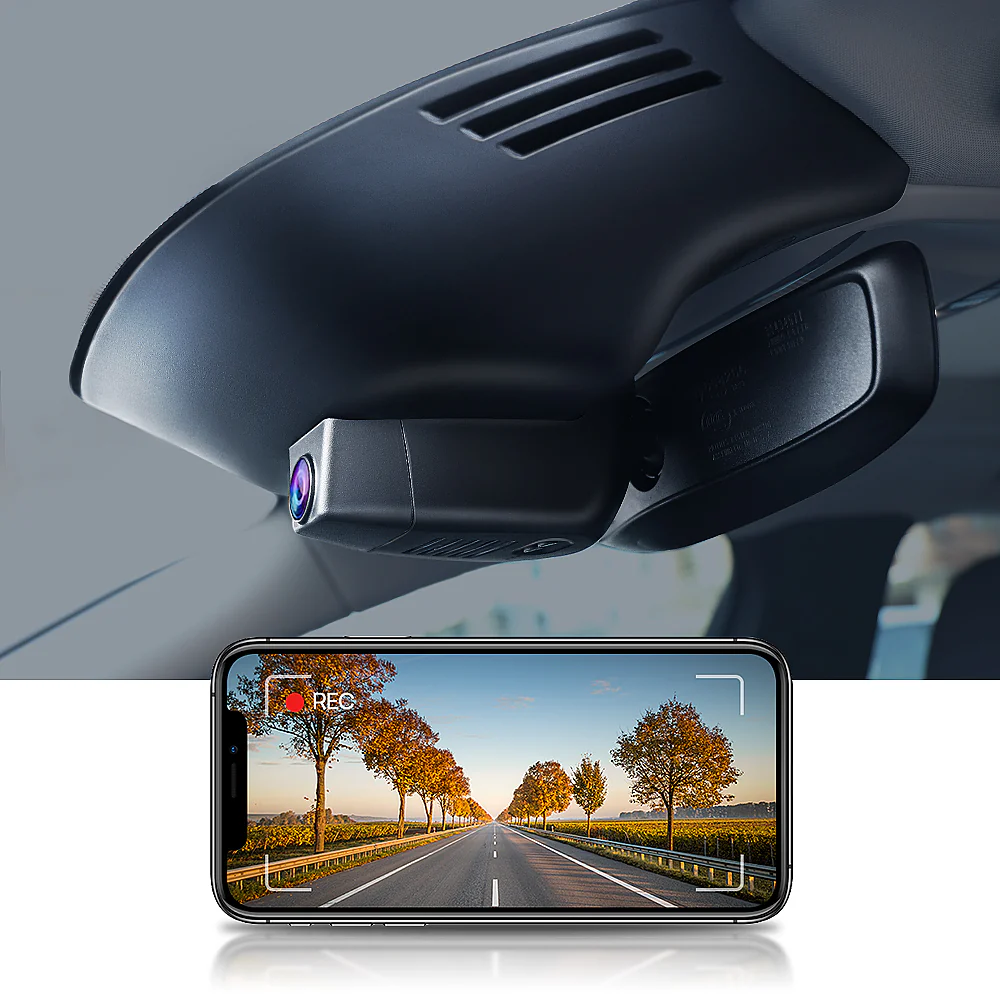
The entry point. 2160p at f/1.6 across 160°, with a 64GB card and reader in the box. Custom-moulded for your exact car and trim. The right choice only if you're certain you'll never want the rear angle.
Search By Vehicle →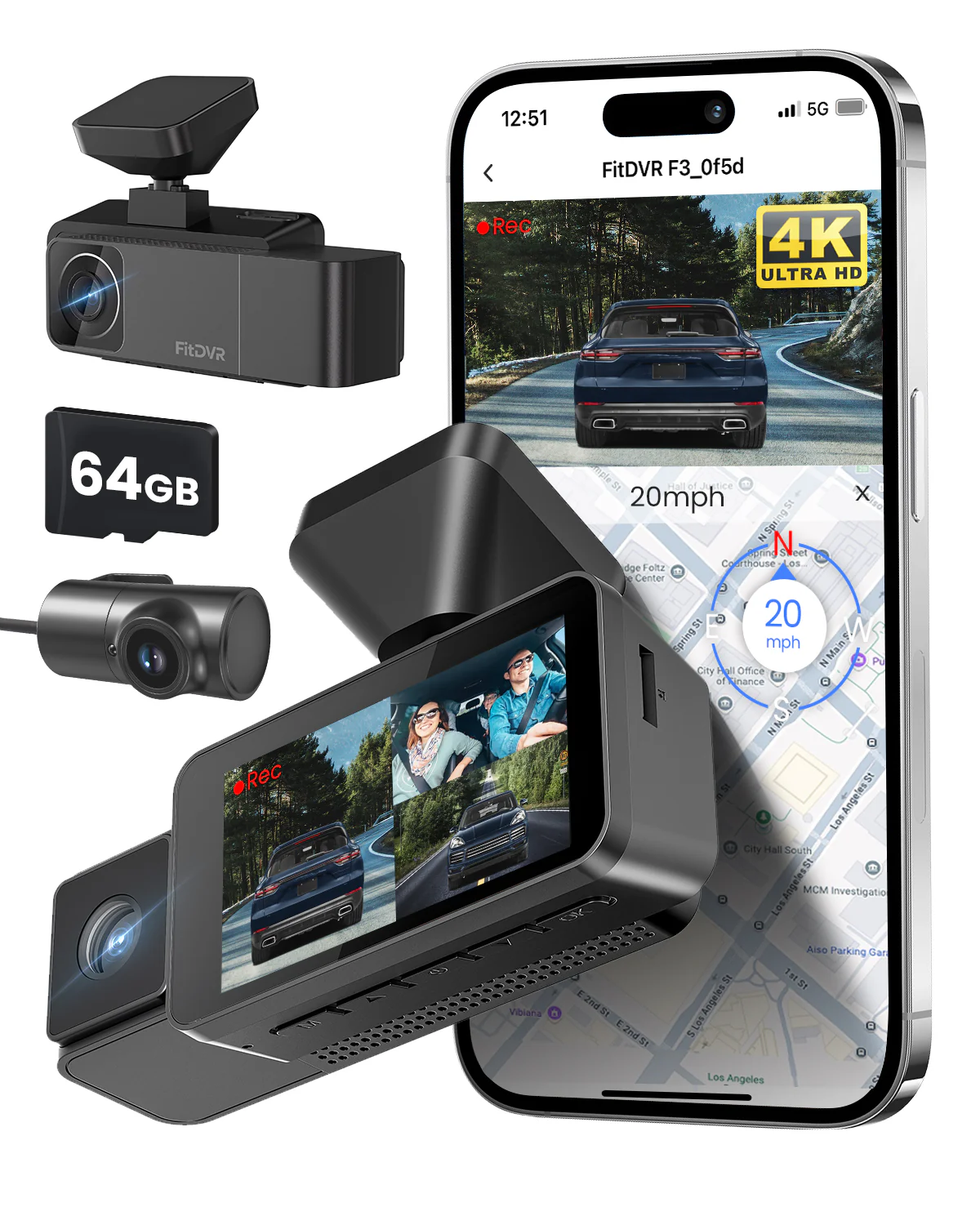
The one to actually buy. Adds a 1080p f/2.0 rear camera at 140°, powered from the front unit rather than its own supply — though the cable does need routing to the rear window. Front stays 160°.
View Details →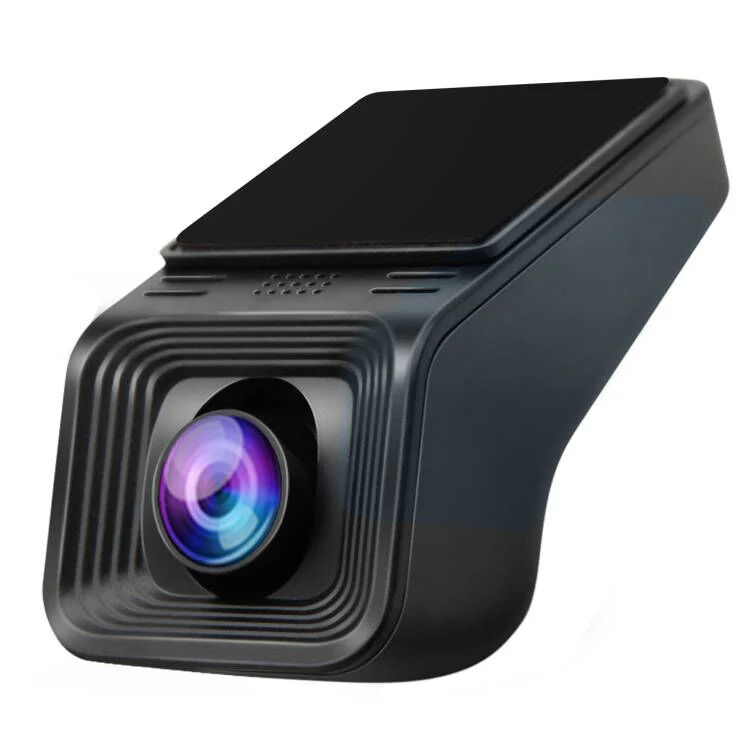
The fallback. If your car isn't among the 45+ supported brands — older vehicles especially — the universal line mounts near the mirror stem and keeps wiring tidy, without the perfect 1:1 shroud match.
View Details →The Install, Start to Finish
Popping trim clips on a car you just bought is the part that makes people nervous. Watching it done once removes most of that.
How the Wire-Free Install Actually Works
The trick is that modern cars already have a powered connector behind the mirror — the adaptive cruise control and forward-camera cluster. Fitcamx supplies a Y-splitter that sits between the factory plug and that sensor, so the camera taps existing switched power without anything being cut, spliced or run down the A-pillar. When the car starts, the camera starts. When you lock it, the camera shuts down.
Parking Mode: What It Actually Means Here
Our original review said parking mode requires the optional fuse box cable. True — but incomplete, and the missing half matters. Fitcamx defines parking mode as the camera waking to record when a collision is detected. It is not continuous recording of your parked car, and it won't capture someone circling the vehicle, keying a door panel, or a hit too gentle to trigger the G-sensor.
There are now two routes to enabling it: the traditional fuse box cable kit, or the newer OBD kit, which plugs into the diagnostic port and avoids fuse-tapping altogether. The OBD route is meaningfully easier and is what we'd suggest for anyone not comfortable pulling panels — though either way you're running a cable, which does undercut the wire-free pitch. If you're doing the fuse box version properly, decent tools help; the kit in our FNIRSI tools review covers most of what that job needs.
If genuine 24/7 parked surveillance is your actual requirement, be honest with yourself: a hardwired conventional dash cam with a proper buffered parking mode does that job better, and no amount of clean installation compensates for the wrong feature set.
Video Quality: Real 4K, Mid-Tier Sensor
The resolution is genuine — 3840×2160 at 30fps, not upscaled. Daytime footage is crisp and plates read easily at normal distances. The f/1.6 aperture and WDR keep night footage usable, and low-light performance is comparable to a mid-range Viofo, if a touch softer than the current top-tier Starvis 2 sensors. For its actual job — producing evidence an insurer or police officer will accept — it's more than sufficient. If you're chasing the absolute best night image regardless of appearance, that's not this product.
The App: Functional, With One Real Annoyance
There's no screen, so the phone app is the only interface — it handles settings, playback and downloads over the camera's own 2.4GHz hotspot, in fifteen languages across iOS and Android. It works, it's basic, and no mobile data is consumed pulling clips.
The recurring complaint in verified reviews, and it's a fair one: if you run wireless CarPlay or Android Auto, the two fight over your phone's WiFi radio. You'll usually need to disable CarPlay briefly to connect to the camera, then re-enable it. Minor, but you'll hit it every time you need footage. Worth knowing that a wired console setup sidesteps this entirely — one reason some drivers pair a hidden camera with a separate CarPlay screen, and use a magnetic mount like the Torras units we reviewed to keep the phone accessible without cluttering the dash.
Is Fitcamx Legit?
The review volume answers this fairly convincingly: 433 reviews at 89% five-star on the Toyota fitment alone, 457 on Volvo, 280 on Audi, with the same themes repeating — "looks totally OEM," "better fit than the original housing," "easy install." Orders carry a 12-month warranty, ship worldwide, and support runs through a proper help centre.
Set expectations on logistics, though. These are made to order: 1–3 business days processing plus 8–12 working days shipping, so budget two to three weeks. And Fitcamx will email to confirm your model and request a photo of your rearview mirror cover before they ship. Send it proactively — the fitment variants are genuinely granular (the RAV4 alone splits into Model A without vents and Model B with vents) and skipping the photo is the main reason people end up with delays or the wrong shroud.
What It Costs by Vehicle
| Vehicle | 4K Front | 2K Dual | 4K Dual |
|---|---|---|---|
| Toyota RAV4 / Camry / Corolla | $168 | $198 | $248 |
| Toyota Tacoma / Tundra | $188 – $190 | $218 – $220 | $268 – $270 |
| BMW F Chassis / Mercedes GLC | from $188 | Varies by fitment | |
| RAM 1500 / GMC Sierra | from $189 | Varies by fitment | |
| Porsche | from $198 | Varies by fitment | |
| Land Rover Defender | from $208 | Varies by fitment | |
Trucks and luxury marques carry a premium over mainstream sedans, largely because the shrouds are bigger and the tooling runs shorter. Every listed price is currently discounted from a higher list price.
Accessories Worth Considering
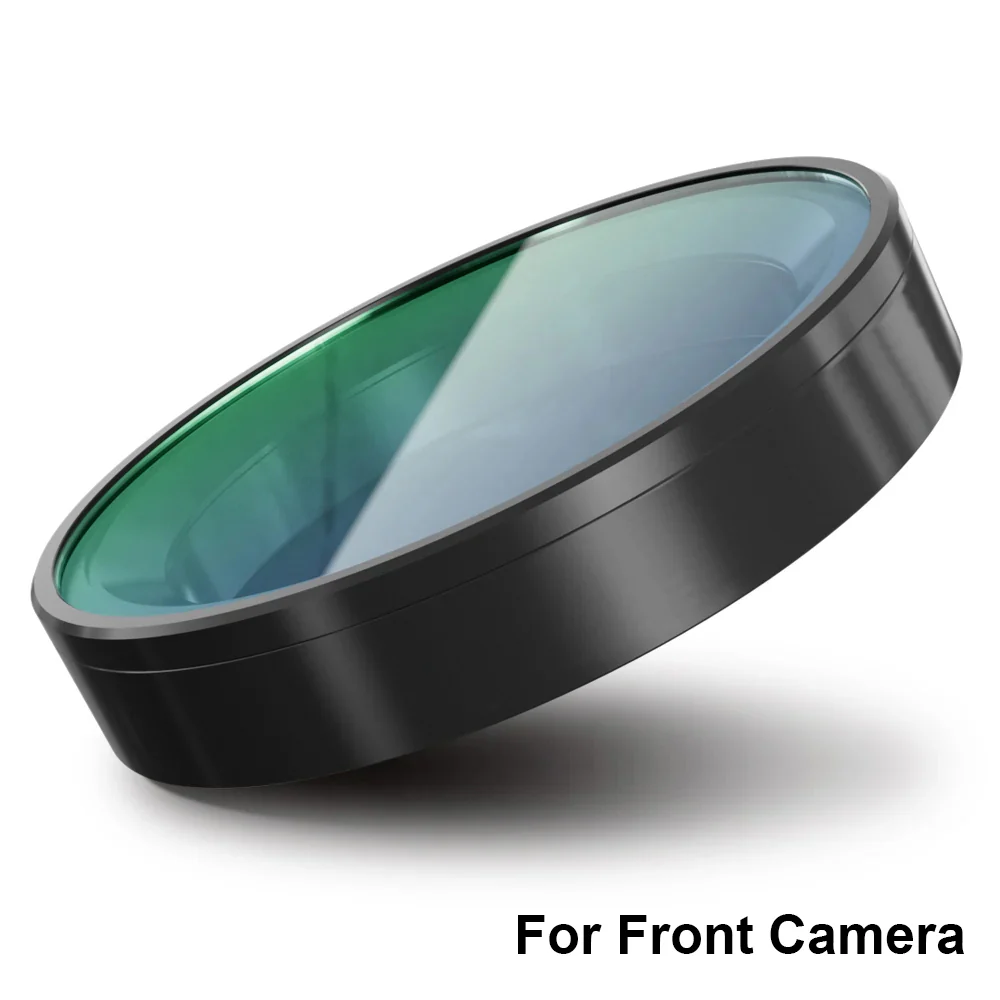
CPL Filter
Cuts windscreen reflections and dashboard glare. The cheapest genuine improvement to daytime footage quality you can make.
View →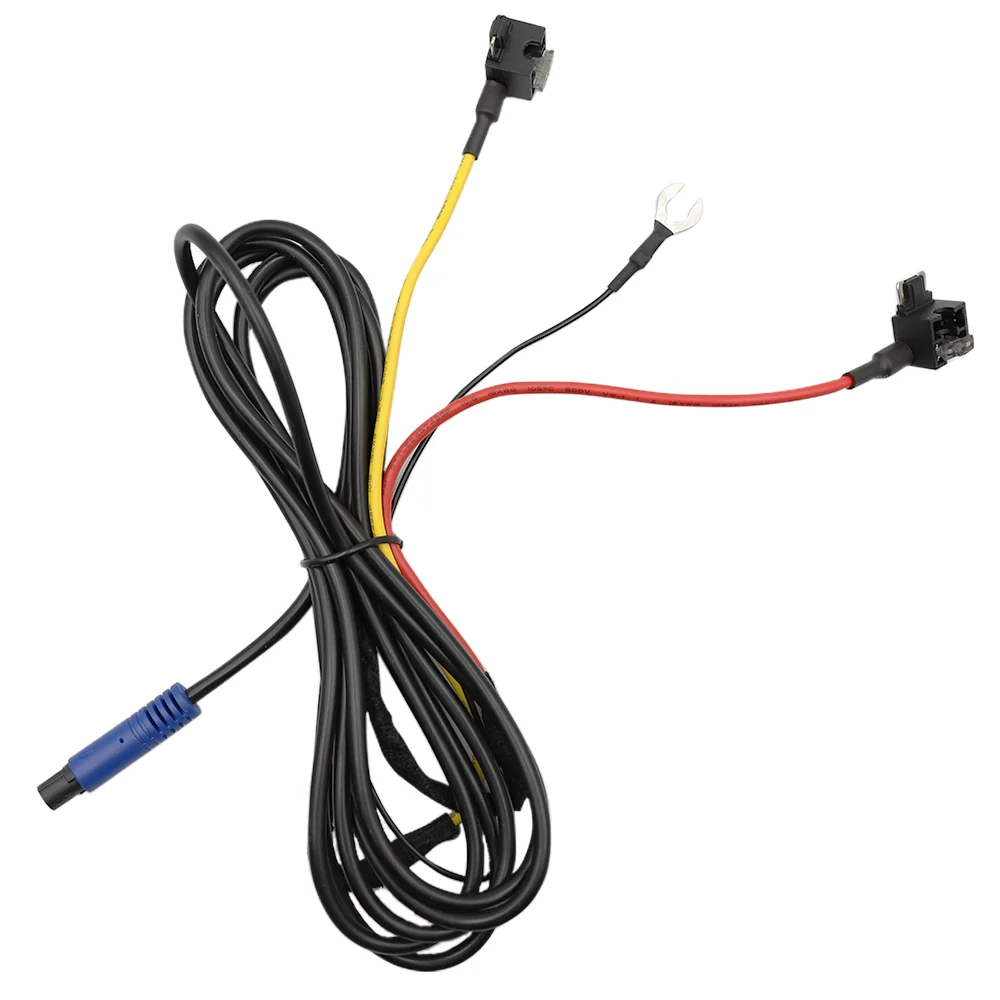
Parking Mode Cable
Required for collision-triggered parked recording. Available as a fuse box kit or the easier OBD version — check which suits your comfort level.
View →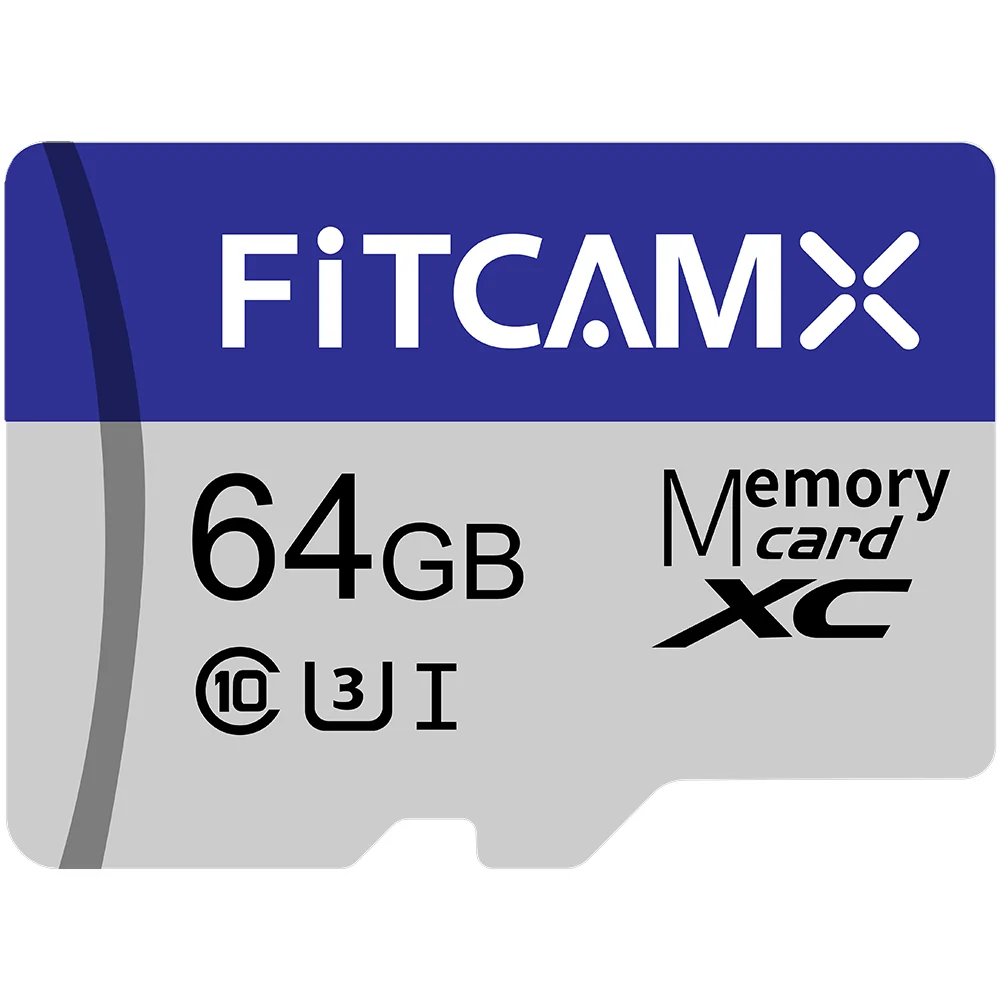
MicroSD Card
A card ships in the box, but loop recording eats consumer cards alive. A high-endurance 256GB spare is cheap insurance against a corrupted card the day you need footage.
View →Fitcamx vs Viofo vs a Console Dash Cam
| Factor | Fitcamx | Viofo A119 Mini 2 | Console-Mounted Cam |
|---|---|---|---|
| Appearance | Invisible, OEM | Visible box | Clearly aftermarket |
| Install time | ~15 minutes | ~1 hour, wire routing | Minutes, 12V socket |
| Image quality | Good 4K, mid sensor | Excellent (Starvis 2) | Varies |
| Parking mode | Collision-triggered only | Full, buffered | Rarely |
| Rear camera | Purchase-time only | Add anytime | Model-dependent |
| Extra features | Basic — no GPS stamp | GPS, voice control | Often adds CarPlay |
Read that table honestly and the positioning is clear: Viofo wins on capability, Fitcamx wins on everything you can see. The third column is worth a thought too — if you'd also like CarPlay on an older car, a console that bundles a DVR does two jobs for one install, at the cost of the stealth that's Fitcamx's entire reason to exist.
Performance Breakdown
Fitcamx Ratings (2026 Update)
Who Should Buy a Fitcamx?
- The lease driver: nothing is cut or spliced, so it comes off in ten minutes and the car goes back exactly as it left the dealer.
- The luxury owner: a suction-cup box in a Porsche or a Defender undoes a lot of interior design. This doesn't.
- The theft-conscious: a visible dash cam advertises that there's something worth breaking a window for. An invisible one doesn't.
- The road-tripper: silent, automatic, no daily fiddling — and if you're kitting out for long drives, our TIDRADIO review and Wattcycle battery review cover the comms and power side of the same build.
Who should skip it: anyone who needs continuous parked surveillance, anyone who wants GPS-stamped speed data for track or fleet use, and anyone whose priority is the sharpest possible night footage regardless of how the install looks.
Pros & Cons
- Genuinely indistinguishable from factory equipment.
- 15-minute install with no cutting or pillar removal.
- Real 4K at f/1.6 with WDR and G-sensor lock.
- 45+ brands covered, card and tools in the box.
- Consistently strong verified review scores.
- Rear camera can't be added after purchase.
- Parking mode is collision-triggered, not continuous.
- App competes with wireless CarPlay for WiFi.
- No screen and no GPS speed stamping.
- 2–3 week lead time, plus a mandatory fitment photo.
How to Buy Fitcamx Cheaper
There's no public coupon code, but there is one easy lever: the email signup on Fitcamx's site gives 5% off, which is roughly $8–13 depending on configuration — enough to cover the CPL filter. Every listed price is also already discounted from list, so you're not waiting on a sale that's coming. The genuinely expensive mistake here isn't overpaying by 5%; it's buying front-only and wishing you hadn't.
👉 FNIRSI Review: the tools worth owning before you touch a fuse box.
👉 TIDRADIO Review: convoy comms for road trips and overlanding.
👉 Autel Robotics Review: aerial footage to pair with your road footage.
Frequently Asked Questions
Can you add a Fitcamx rear camera later?
No. Fitcamx states plainly that the rear camera cannot be added separately — it's a variant you choose at purchase, not an upgrade you bolt on afterwards. If there's any chance you'll want rear coverage, buy the dual configuration up front. Retrofitting means buying an entirely new unit.
Does a Fitcamx dash cam record while parked?
Only with the optional fuse box or OBD cable kit — and even then, parking mode here means the camera wakes and records when it detects a collision. It is not continuous surveillance of your parked car. If you want 24/7 parked recording, this isn't the product for that job.
Where does a Fitcamx dash cam get its power?
It taps the existing connector behind your rearview mirror — on most modern cars, the adaptive cruise control or forward-sensor cluster. A supplied Y-splitter sits between the factory plug and the sensor, so nothing is cut, no A-pillar trim comes off, and no cable runs to the cigarette lighter or fuse box.
How do I know a Fitcamx will fit my car?
Fitcamx builds model-specific housings, and several cars have multiple shroud variants — the RAV4 alone splits into Model A (without vents) and Model B (with vents). After ordering, Fitcamx emails to confirm your model and asks for a photo of your rearview mirror cover before shipping. Send it proactively: skipping it is the most common cause of delays and wrong-fit units.
Is the 4K version worth the extra money over the 2K dual?
It depends what the footage is for. The 4K front-only gives the sharpest plate reads ahead. The 2K dual drops the front to 1440p but adds a 1080p rear camera. For most drivers coverage matters more than resolution — 1440p already reads plates at normal following distances, and rear-end collisions are the ones you most often need to prove. The 4K dual gives you both for roughly $80 more.
Does the Fitcamx app work with wireless CarPlay?
They compete for the same radio. The camera creates a 2.4GHz hotspot your phone must join to download footage, and if wireless CarPlay or Android Auto is active, your phone usually favours that connection. The workaround is simple but annoying: disable CarPlay briefly, pull your clips, re-enable it.
Final Score: 8.8/10
Fitcamx still isn't the most capable dash cam you can buy — it's the best-designed one. Viofo beats it on sensor and features; nothing beats it on disappearing into a car. For most drivers that trade is worth making. Just go in with both eyes open on the two constraints: choose your camera configuration carefully, because you can't change it, and don't buy it expecting parked surveillance it was never built to provide.
Check Your Car Compatibility →