


Writing code on a computer screen is great, but watching your code physically drive a robot across your living room floor is magical.
For years, anyone wanting to learn electronics had to buy generic, undocumented components from overseas and suffer through broken code snippets on outdated forums. SunFounder completely changed that paradigm. By creating highly polished Raspberry Pi and Arduino starter kits paired with masterclass-level online documentation, they have become the go-to brand for STEM education. But are these kits just for kids, or are they robust enough for adult tinkerers? We spent a weekend building their top AI robot to find out.
Quick Summary
The SunFounder PiCar-X Kit
If you want to understand autonomous vehicles, this is your starting line. The PiCar-X turns a standard Raspberry Pi into an AI-driven rover. With a built-in camera module and ultrasonic sensors, the included Python tutorials will literally teach you how to write code that makes the car recognize faces, track colors, and autonomously avoid obstacles.
Check PiCar-X Pricing →Top Kits for Makers
Whether you want to build a robot, automate your home, or just learn the basics of a breadboard, here is where you should start.

The Ultimate Project. A fully aluminum chassis robot with AI camera capabilities. You will learn Python, computer vision (OpenCV), and servo control. *Requires you to own a Raspberry Pi 4/5.*
View Details →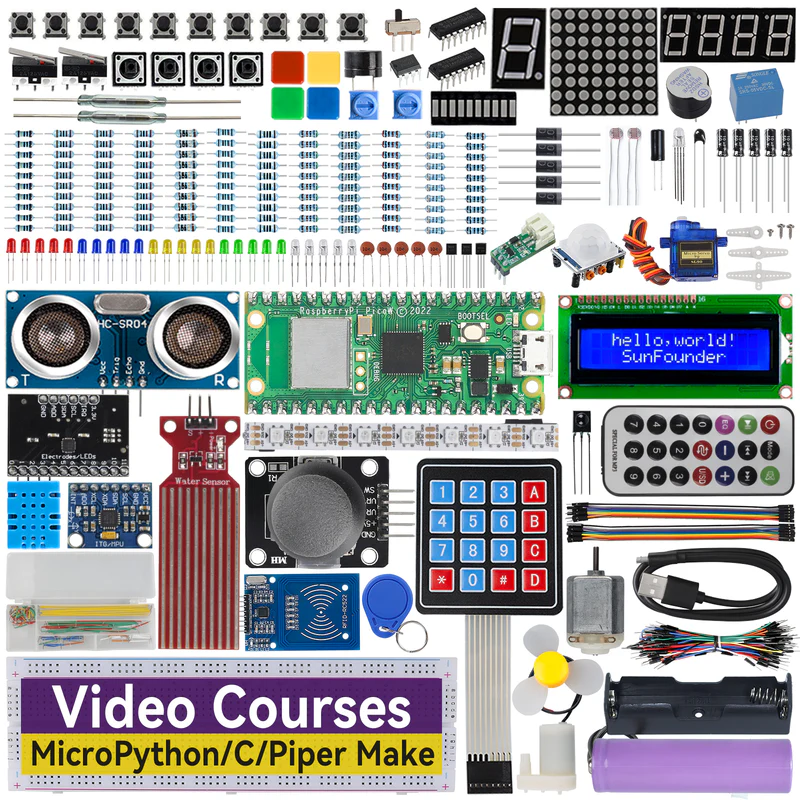
The Best Value. The Pi Pico is a $4 microcontroller. This kit gives you the board, breadboards, LEDs, displays, and sensors to learn MicroPython from the absolute ground up.
View Details →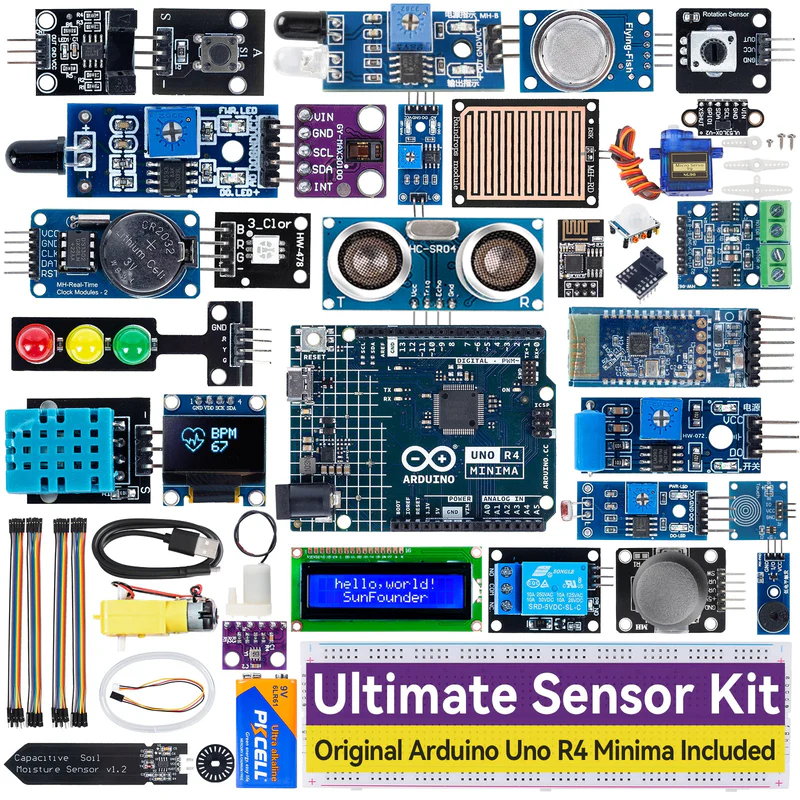
For IoT Builders. Includes 37 different modules (temperature, moisture, joysticks, relays). If you want to build a smart weather station or automated plant waterer, start here.
View Details →Essential Maker Accessories
SunFounder provides the parts and the code, but you will need a few standard bench tools to bring your projects to life.
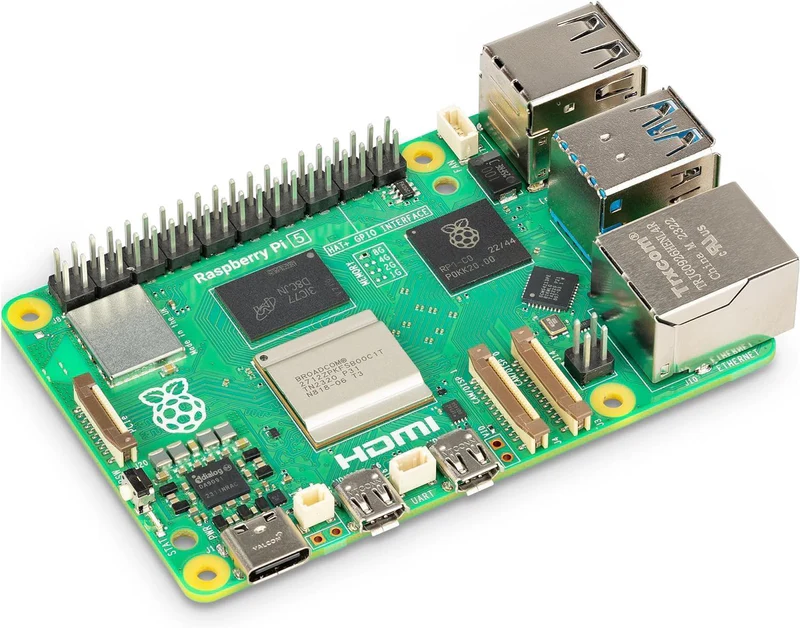
Raspberry Pi 5 (4GB)
The brain for advanced robotics. SunFounder kits do not include the Pi board, so you must secure one separately.
Find Compatible Boards →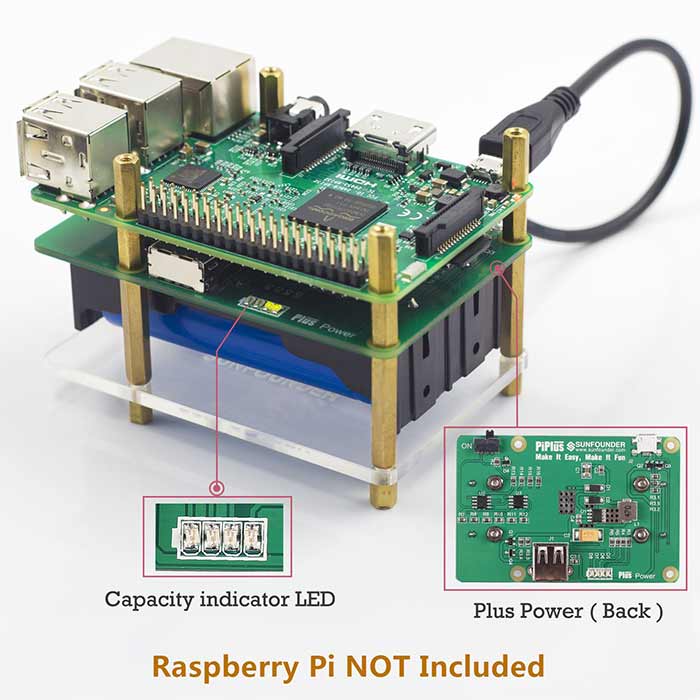
18650 Lithium Batteries
Robots need portable power. You will need high-drain, flat-top 18650 batteries and a safe charger.
Add to Cart →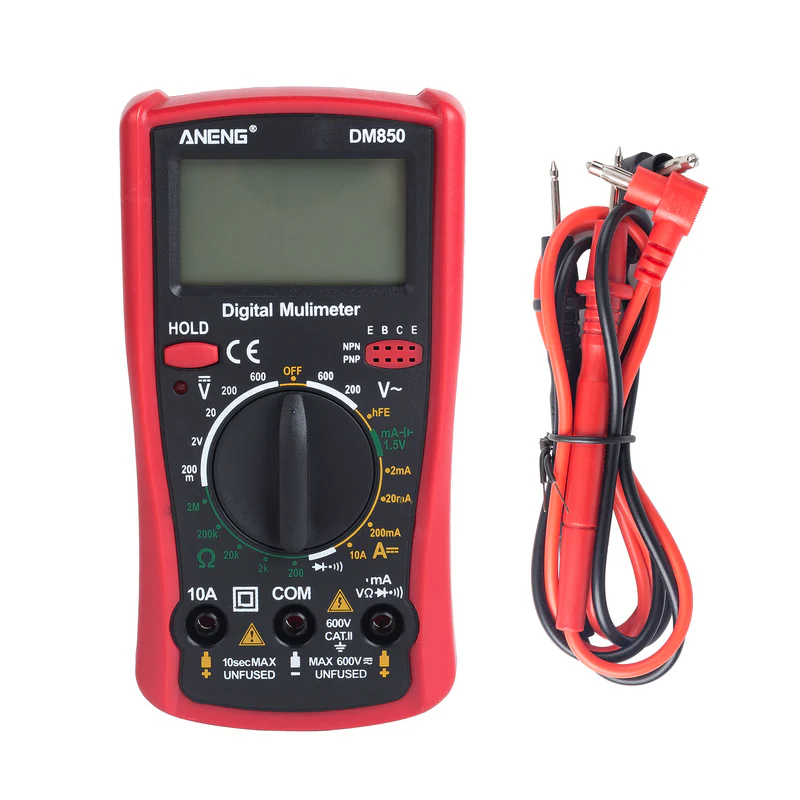
Digital Multimeter
If your LED isn't lighting up, you need a multimeter to test voltage drops and check for continuity on your breadboard.
Add to Cart →Why SunFounder Over Cheap Clones?
You can find generic "Arduino Starter Kits" on Amazon for $15. So why pay more for SunFounder?
Documentation. The hardware isn't what you are paying for; it's the curriculum. SunFounder maintains a brilliant, constantly updated online Wiki. When you buy their kit, you aren't just getting a box of wires—you are getting a complete, 50-lesson course that explains the physics of the component, gives you the wiring diagram, and provides the exact Python or C++ code needed to make it work.
Unboxing: Premium Organization
Learning The Right Language
One of the biggest hurdles for beginners is knowing what language to learn. SunFounder structures their kits perfectly:
- Raspberry Pi Kits: Focus entirely on Python. You will learn logic, loops, and how to import powerful libraries like OpenCV for facial recognition.
- Arduino Kits: Focus on C / C++. You will learn low-level hardware control, memory management, and fast sensor polling.
Platform Breakdown
SunFounder Ecosystem Ratings
Which Microcontroller Do You Need?
Raspberry Pi is a full microcomputer running Linux. It has a desktop, connects to WiFi, and can process live video feeds for AI. If you want to build a smart camera, buy the Pi. If you want to build a smart thermostat, buy the Arduino.
👉 3D print custom robotic arms and chassis plates on a QIDI 3D Printer.
👉 Take a break from coding and play retro games on a Retroid handheld.
EzBlock: Coding for Kids
If you are buying this for a 10-year-old, looking at lines of Python code can be intimidating.
SunFounder developed their own software called EzBlock Studio. It allows you to program their robots using a drag-and-drop visual block interface (similar to Scratch) from a tablet or phone. It teaches the logic of coding (if/then statements) without the frustration of missing a semicolon.
What's in the Ultimate Sensor Kit?
If you opt for the Ultimate Sensor kit, you will get components that allow you to interact with the physical world. It includes ultrasonic distance finders, PIR motion sensors, soil moisture probes, RFID readers, and LCD screens. It is the perfect sandbox for building IoT (Internet of Things) devices for your home.
SunFounder vs. Elegoo
The two titans of the maker space. Here is where they differ.
| Feature | SunFounder | Elegoo |
|---|---|---|
| Primary Focus | Raspberry Pi & AI Robotics | Budget Arduino Components |
| Documentation | Extensive Online Wiki | Basic PDF Manuals |
| Hardware Materials | Aluminum Chassis (on Pro kits) | Acrylic / Plastic |
| Price | Premium / Mid-Tier | Ultra Budget |
Who Should Buy This?
- The Computer Science Student: If you are learning Python in school, writing code to make a robot drive around is 100x more fun than writing a text-based calculator.
- The Tech Parent: The absolute best way to introduce your teenager to STEM and hardware engineering.
- The Home Automator: If you use Home Assistant and want to build custom ESP32 sensors for your house.
Pros & Cons
- Best-in-class online tutorials and code repositories.
- Robot kits use high-quality aluminum frames.
- Custom Pi HATs eliminate messy breadboard wiring.
- EzBlock app makes it accessible for younger kids.
- Raspberry Pi boards and 18650 batteries are rarely included.
- Some advanced Python OpenCV projects require heavy troubleshooting.
- Pricier than generic component bundles.
Shipping & Community Support
SunFounder operates globally. While shipping is reasonably fast, their true strength lies in their community forums and GitHub repositories. If you run into a bug where a library won't install on your Pi, chances are someone on the SunFounder forum has already solved the issue and posted the terminal commands you need.
Frequently Asked Questions
Does the SunFounder kit come with a Raspberry Pi?
Usually, no. Because Raspberry Pi boards fluctuate in price and availability, SunFounder sells the robotics hardware and sensors separately. You must provide your own Raspberry Pi 4 or 5.
Do I need to know how to solder?
No! Almost all SunFounder beginner kits use jumper wires and breadboards, or custom plug-and-play 'HATs' (Hardware Attached on Top). No soldering iron is required for assembly.
What programming languages can I learn?
SunFounder's tutorials heavily focus on Python for Raspberry Pi and C/C++ for Arduino. They also offer visual block-based programming (like Scratch) for younger children.
What age are these kits appropriate for?
With adult supervision, the basic Arduino kits are great for ages 10+. The more complex AI robotics kits (like the PiCar-X) are best suited for teenagers (14+) and adults interested in computer science.
Are the instruction manuals in English?
Yes. Unlike cheap clone kits on Amazon that come with poorly translated PDFs, SunFounder hosts a massive online Wiki with detailed, step-by-step English tutorials, code snippets, and wiring diagrams.
What batteries do the robot cars use?
Most SunFounder robotics kits require two 18650 flat-top lithium-ion batteries to provide sufficient power to the motors and the microcontroller. These are typically not included due to shipping regulations.
Is SunFounder better than Elegoo?
Elegoo excels at budget, bare-bones Arduino clones. SunFounder is widely considered superior when it comes to Raspberry Pi integration, advanced AI robotics, and the quality of their online documentation.
Final Score: 9.6/10
SunFounder has perfected the art of the STEM kit. By providing rock-solid hardware and backing it up with world-class documentation, they have removed the frustration from learning hardware programming. Whether you are a 12-year-old learning block coding or a 40-year-old building an AI security rover, these kits are worth every penny.
Shop SunFounder Kits →