


Somewhere in a drawer is a Game Boy with a dead screen and a save file you'd genuinely like to get back to. The barrier was never desire — it was that playing old games properly meant either hunting down decaying hardware or hunching over a laptop keyboard.
Anbernic has spent since 2017 removing that barrier, and at this point they've arguably overcorrected: the current lineup runs to dozens of models across clamshells, sliders, verticals, dual-screens and a rotating one, with names like RG 35XXPro and RG 477V that tell you nothing until someone explains the code. Prices run from $54.99 to $259.99. The hardware is genuinely good — the serious retro handheld reviewers say so. But there's one thing about how these devices work that catches out a lot of first-time buyers, and we're going to cover that before anything else.
Anbernic at a Glance
ANBERNIC RG 477V
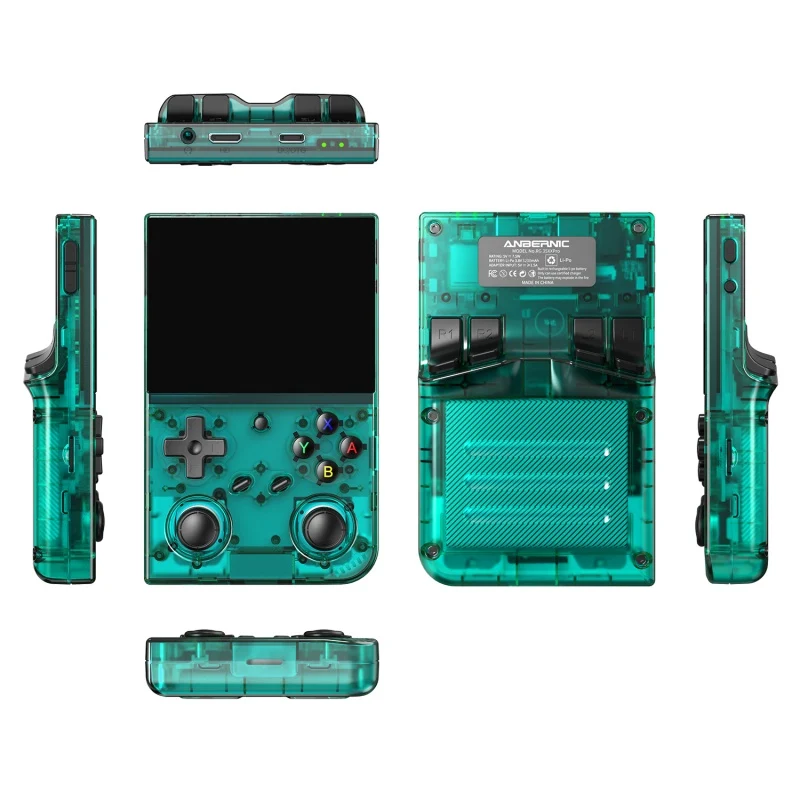
The one the community keeps calling the best vertical handheld made. A 4.7-inch 1280×960 LTPS display at 120Hz — a 4:3 ratio that matches how retro games were actually drawn — driven by a MediaTek Dimensity 8300 on Android 14. Hall effect joysticks, a 5500mAh battery rated at 8 hours, active fan and heat-pipe cooling, Wi-Fi 6E, and USB-C DisplayPort out that can drive a genuine dual-screen setup for DS and 3DS games.
$259.99 $269.99 · 8+128GB or 12+256GB · 100% of reviews 4★ or above
The Thing Nobody Tells First-Time Buyers
The related point: it's not quite plug-and-play. The stock OS boots straight into a game menu and is genuinely well made, so nothing needs assembling. But you will be copying files into folders on a microSD card, and occasionally mapping controls in RetroArch. Reviewers describe this as easy rather than effortless — one put it well: "you do need to have some minimal skills to get games loaded and working. Not that it's hard, but it's not plug and play." If SD card folders sound like a chore, this hobby isn't for you.
Decoding Anbernic's Model Names
This is the most confusing product lineup of any brand we've covered — RG 35XXPro, RG 35XX H, RG 35XXSP, RG 34XXSP, RG 40XXV, RG 406V, RG 477V, RG 477M, RG 476H, RG 557, RG 55G1, plus CubeXX, Slide, Rotate, DS and SP. Once you see the pattern it's manageable:
Linux or Android? The Decision That Actually Matters
Screen size and form factor are preference. The operating system is the real fork in the road, and picking wrong is how people end up disappointed.
- Boots straight to a game menu, no clutter
- 7+ hours battery on modest hardware
- Handles up to PS1, N64, NDS, Dreamcast
- Custom firmware community (Knulli, muOS)
- RG 35XXPro, RG 35, RG SP, RG 34XX, RG DS Plus
- Reaches GameCube, PS2 and sometimes further
- Runs Android games, streaming, Moonlight
- More setup, more to configure, shorter battery
- Emulator driver support varies by chipset
- RG 477V, RG 557, RG 55G1, RG 406V, RG Rotate
Our advice: most people should start on Linux. If your nostalgia lives in the SNES-to-PS1 era — and for most people it does — a $55 Linux handheld plays all of it beautifully, lasts all day, and involves far less fiddling. Buy Android only if you specifically want GameCube, PS2, or PC game streaming.
Which Anbernic Should You Buy?
Find yourself below — every pick links straight to the product page.
The Three Best Buys Right Now
The entry point. 3.5" fully laminated IPS, H700 quad-core, Linux 64-bit, 3200mAh for 7 hours, dual microSD slots, Wi-Fi and Bluetooth, HDMI out to a TV. 80% of its 83 reviews are five-star. At $55 it's the cheapest way to find out if this hobby is yours.
View Details →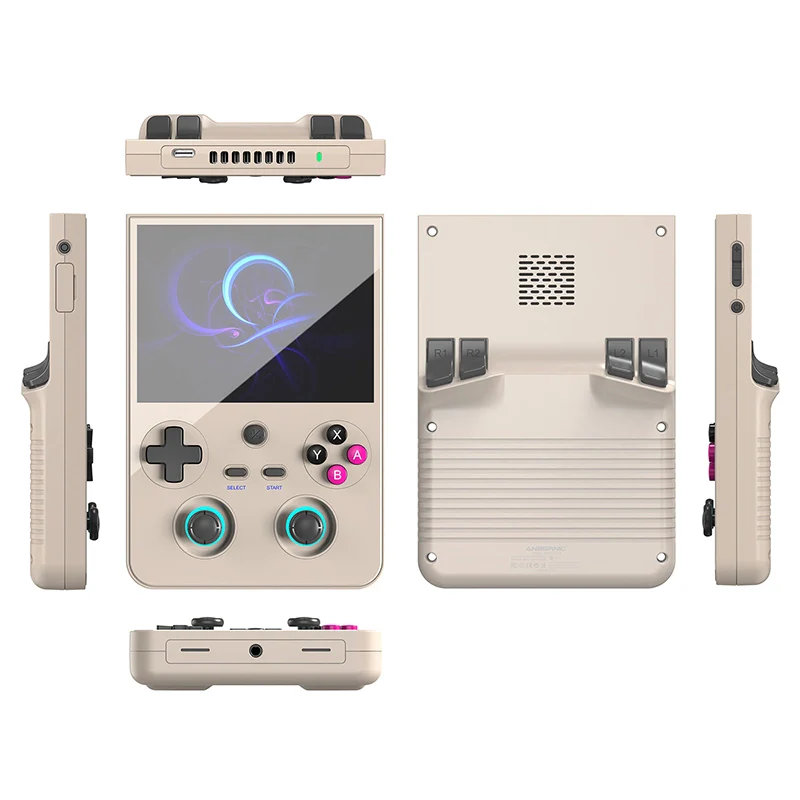
The community favourite. Dimensity 8300, 4.7" 120Hz 4:3 display, Hall sticks, 5500mAh, active cooling. Owners report clean PS2 and GameCube. Not pocketable at 334g — this is a hold-it-in-two-hands device, and it's superb at that.
View Details →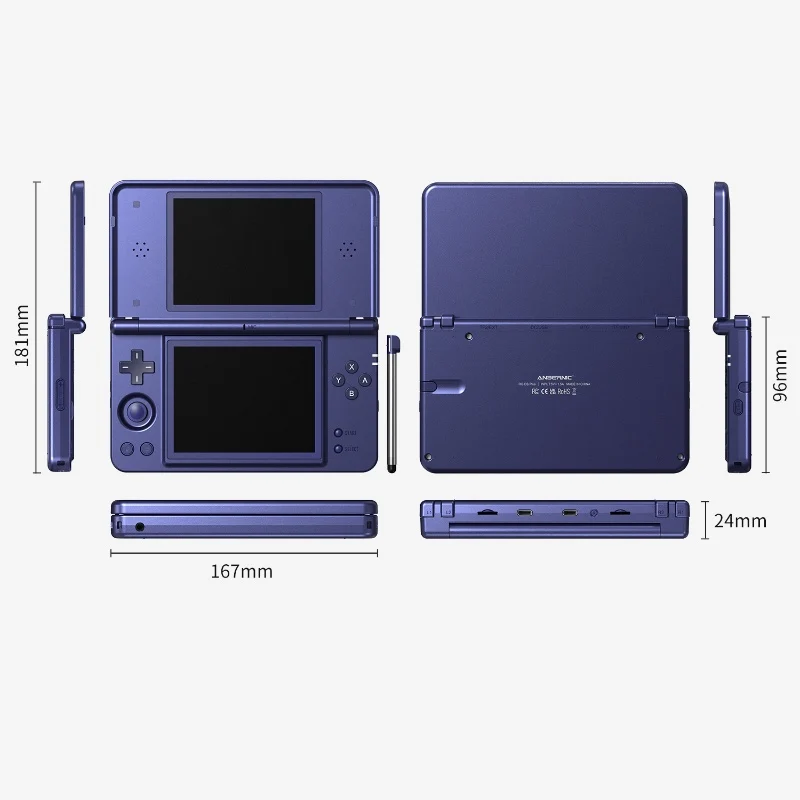
For DS libraries. Dual 4.3" screens at 1024×768 each, touch on the lower panel, a capacitive stylus that stores in the body, and alloy hinges with stepless 15°–180° positioning. If your nostalgia is specifically Nintendo DS, nothing else comes close.
View Details →See It Running
Emulation performance claims mean nothing without footage. Frame pacing and screen quality are things you have to watch.
The Chipset Detail That Separates Good From Great
Here's the nuance that separates informed buyers from disappointed ones, and it comes straight from a detailed owner review of the RG 477V. The Dimensity 8300 is a genuinely fast chip — but MediaTek chipsets have thinner emulator driver support than Qualcomm Snapdragons. For everything up to PS2, that doesn't matter at all. For the bleeding edge — Switch emulation, PS3, running PC games through compatibility layers — driver support is exactly what determines whether something runs.
The owner's conclusion is worth repeating: the driver situation "almost nullifies the justification to buy the 12GB model," because the extra RAM mostly serves workloads the drivers can't properly enable. If you're buying an RG 477V, the 8GB configuration is probably the smarter spend.
Custom Firmware: Great, With Caveats
A large part of this hobby's appeal is that the Linux devices are open. Knulli, muOS and Batocera are the popular custom firmware options, and owner reviews show people running them happily — one described the stock OS as great but wanting to customise anyway.
Two honest cautions from those same reviews. First, hardware revisions break compatibility: one owner noted running a Knulli alpha "since the gladiator II version does not work on the revised hardware yet." Second, not every model supports every option — another buyer reported being unable to install muOS on their unit. Check the current compatibility status for your exact model and hardware revision before buying specifically for custom firmware. The stock OS is good enough that CFW should be a bonus, not the reason you bought.
Pick Your Warehouse
Easy to miss and genuinely worth money: most product pages offer a "Ships From" choice at checkout — China, US, and on some models EU. Picking a local warehouse dramatically shortens delivery and sidesteps import complications. One US buyer reported an RG Slide arriving in five days from the US warehouse; buyers shipping from China describe roughly ten days to a few weeks.
EU buyers should note Anbernic maintains a dedicated customs and transparency page, which suggests the EU route has had friction worth reading about before ordering. Orders take 2–4 business days to process before they ship regardless of warehouse.
Is Anbernic Legit?
Unusually well established for this category. The company has been building handhelds since 2017, carries 4,873 store reviews, and — the strongest signal — is reviewed seriously by the people who actually define this niche. Retro Game Corps called the RG 477M "the closest Anbernic has ever come to making a perfect handheld." ETA Prime, Retro Dodo and Wulff Den have all covered the range. Those channels have reputations to protect and are routinely critical of bad hardware.
Practically: a one-year warranty that includes free replacement parts, support Monday to Friday with a stated 24–48 hour response, an active official subreddit, and a referral scheme that gives a friend 2% off and pays you 3%. Multiple owner reviews specifically single out customer service as responsive — including one who got ROM troubleshooting help directly from support.
Anbernic vs Steam Deck vs Emulating on Your Phone
| Factor | Anbernic | Steam Deck / ROG Ally | Phone + Controller |
|---|---|---|---|
| Entry price | $54.99 | Several hundred | Controller only |
| Retro form factor | Clamshell, vertical, 4:3 | One shape, 16:9 | Phone-shaped |
| Battery for retro | 7–8 hours | 2–4 hours | Drains your phone |
| Modern PC games | Streaming only | Native | No |
| Pocketable | Smaller models yes | Backpack item | Already there |
| Setup effort | Some file management | Moderate | Most fiddly |
The honest read: a Steam Deck is a better computer; an Anbernic is a better retro handheld. A 4:3 vertical screen and a clamshell body aren't nostalgia theatre — they're the correct shape for games designed around them, and no 16:9 device fixes that. If you want to play Baldur's Gate 3 on a train, buy a Deck. If you want to finish Chrono Trigger, buy this. A padded case is worth adding either way, and the gaming sleeves in our Tomtoc review cover handhelds this size well.
Performance Breakdown
Anbernic Ratings
Who Should Buy an Anbernic?
- The nostalgic returner: if your gaming memories are 8-bit to PS1, a $55 Linux handheld covers all of it with hours of battery to spare.
- The commuter: smaller models genuinely pocket, and a retro RPG is the ideal shape for a 40-minute train ride.
- The tinkerer: custom firmware, themes, box art scraping and RetroAchievements turn this into a hobby rather than a device.
- The desk gamer: most models have a 3.5mm jack, and something like the IEMs in our 7Hz Salnotes review beats the built-in speaker for a fraction of the console's price.
Who should skip it: anyone expecting a console with a games library included, anyone unwilling to manage files on an SD card, and anyone who mainly wants to play modern titles — that's a Steam Deck purchase, not this one.
Pros & Cons
- Build quality consistently beats expectations.
- Form factors nobody else makes — DS, slider, vertical.
- $54.99 entry price for a genuinely good device.
- Open Linux models with an active CFW scene.
- Local warehouses in the US and EU.
- You supply the games — no library included.
- Requires basic file management to get going.
- Model naming is genuinely bewildering.
- MediaTek chips limit bleeding-edge emulation.
- Hardware revisions can break CFW compatibility.
How to Buy Anbernic Cheaper
Three levers. Skip the bundled SD card upgrades — most models offer 64GB/128GB/256GB options at checkout, and a good branded card bought separately is usually cheaper and more reliable; several owners specifically recommend backing up the supplied card anyway. Use the referral scheme: it gives a friend 2% off and pays the referrer 3%, so buying alongside someone else pays both of you. And choose the right warehouse — a local one saves shipping time and potential customs charges, which on a $55 device can matter more than the discount.
See Current Best Sellers →👉 7Hz Salnotes Review: $20 IEMs for the 3.5mm jack.
👉 Torras Review: power banks for all-day sessions away from a socket.
👉 Epomaker Review: the desk this ends up living on.
Frequently Asked Questions
Do Anbernic handhelds come with games?
They ship with some preloaded content on the bundled card, but buyers consistently report that the famous first-party titles they hoped for aren't among them. Anbernic sells emulation hardware, not a games library, so you're expected to supply your own content. Legitimate routes include homebrew and indie titles built for these systems, public-domain and freeware games, and dumping cartridges or discs you already own where your local law permits. Treat it as an empty console rather than a preloaded one.
Is an Anbernic plug and play?
Almost, but not entirely. The devices boot straight into a game menu and the stock OS is genuinely good, so there's no assembly required. What is required is a little file management: copying game files into the right folders on a microSD card, and occasionally configuring controls in RetroArch. Owner reviews describe this as easy but not zero-effort. If SD card folders sound tedious, buy something else.
What is the difference between Anbernic Linux and Android models?
Linux models — generally the XX series plus the RG 35 and RG SP — boot straight into a game menu, cost far less and get much longer battery life, but they're limited to older systems roughly up to PS1, Nintendo DS and Dreamcast. Android models like the RG 477V, RG 557 and RG 55G1 cost more and are more complex, but reach GameCube, PS2 and beyond, run Android games and support streaming. Choose Linux for simplicity and battery, Android for power.
Which Anbernic should a beginner buy?
The RG 35XXPro at around $55 is the standard recommendation. It's a 3.5" Linux handheld with a fully laminated IPS screen, seven hours of battery and dual microSD slots, and it comfortably handles everything up to PS1 and N64. Cheap enough that if retro handhelds turn out not to be your hobby you've lost very little — and good enough that most people never feel the need to upgrade.
Can you install custom firmware on an Anbernic?
On most Linux models, yes. Knulli, muOS and Batocera are the popular options and the community is active. Two cautions from owner reports: hardware revisions of the same model can break compatibility with a given CFW build, and not every model supports every option. Check the current compatibility status for your exact model and hardware revision before buying specifically to run custom firmware — the stock OS is good enough that it shouldn't be your only reason to buy.
Where does Anbernic ship from?
Most products offer a warehouse choice at checkout — typically China, the US, and on some models the EU. Choosing a local warehouse is significantly faster and avoids import complications, so pick one in your region if the option appears for your model and configuration. Orders take 2–4 business days to process before shipping, and Anbernic maintains a dedicated page covering EU customs requirements.
Final Score: 9.0/10
Anbernic makes hardware that consistently embarrasses its price — the most common sentiment in owner reviews is surprise that a $55 device feels this solid. What holds the score back isn't the products but the experience around them: a naming scheme that requires a decoder ring, and an out-of-box reality that expects more from the buyer than the marketing implies. Go in knowing you're buying an empty console and a weekend of setup, and it's one of the best value purchases in gaming.
Shop the Anbernic Store →